Introduction: The Monitor Is the New Battleground for Gaming Excellence
Gaming technology has reached a point where impressive graphics alone are no longer enough to deliver a truly immersive experience. Players want sharper details, smoother motion, more responsive controls, and colours that make every virtual world feel alive. In 2026, gaming monitors have become one of the most important components of a modern gaming setup, influencing everything from competitive performance in fast-paced shooters to the cinematic atmosphere of open-world adventures. With OLED panels becoming increasingly desirable, high-refresh-rate displays pushing the boundaries of responsiveness, and advanced HDR technologies improving visual depth, choosing the right monitor can transform the entire gaming experience.
The market now offers an impressive variety of displays designed for different players, budgets, and gaming preferences. Brands such as Samsung, LG, ASUS, Acer, MSI, and Alienware continue to compete across premium OLED displays, high-performance esports monitors, ultrawide screens, and affordable gaming options. However, the best gaming monitor is not necessarily the one with the highest resolution or the fastest advertised refresh rate. The right choice depends on how a person plays, which hardware powers their system, and whether they value competitive speed, visual fidelity, or a balance of both. Understanding these differences is the first step towards building a gaming setup that feels genuinely next-generation.
OLED Gaming Monitors: The Premium Choice for Visual Realism
OLED technology remains one of the most compelling developments in gaming displays because it changes how images are produced. Unlike traditional LCD monitors that depend on a backlight, OLED panels illuminate individual pixels independently. This allows them to switch off completely when displaying black, producing exceptionally deep dark scenes and a striking contrast between bright highlights and shadowy environments. For gamers exploring atmospheric horror titles, cinematic role-playing adventures, or visually demanding action games, the difference can be immediately noticeable. Night-time environments appear more convincing, glowing effects stand out against dark backgrounds, and fine details become easier to appreciate when the display can reproduce a broader visual range.
Premium OLED gaming monitors from manufacturers such as LG, Samsung, and Alienware have helped establish this technology as a serious option for enthusiasts. Modern gaming-focused OLED displays can combine rapid pixel response times with high refresh rates, making them attractive for both immersive single-player experiences and competitive multiplayer games. Motion can appear exceptionally clean, while the strong contrast and vibrant colour reproduction give compatible games a distinctive visual character. Depending on the model, gamers can also find features such as HDMI 2.1 connectivity, adaptive sync support, and high-resolution panels designed for powerful gaming PCs and current-generation consoles.
OLED is not without its compromises, however. Screen burn-in remains a consideration, particularly for users who spend long periods displaying static interface elements, taskbars, or persistent game HUDs. Manufacturers have introduced protective technologies such as pixel shifting, screen refresh routines, and brightness management to help reduce the risk, but these features do not make the technology completely immune to image retention or burn-in. OLED monitors can also cost more than comparable LCD alternatives, and performance in very bright rooms varies between models. For gamers who prioritise exceptional contrast, fast response times, and premium image quality, these trade-offs may be worthwhile, but buyers should compare warranties, panel-care features, and everyday usage requirements before investing.
High Refresh Rates: Why 240Hz and Beyond Matter
Refresh rate has become a defining specification in gaming monitor shopping, particularly for players who compete online. Measured in hertz, it indicates how many times a display can update its image every second. A traditional 60Hz monitor refreshes 60 times per second, whereas a 144Hz display offers more frequent updates, and 240Hz models can refresh the image 240 times per second. Higher refresh rates can make camera movement appear smoother, improve the clarity of fast-moving scenes, and help skilled players track opponents more consistently. In competitive games such as Counter-Strike 2, Valorant, and other fast-paced shooters, these advantages can contribute to a more responsive experience.
For many PC gamers, 144Hz and 165Hz monitors continue to provide an appealing balance between performance and price. They offer a substantial improvement over basic office displays without requiring every game to run at extremely high frame rates. Players with powerful graphics cards, however, may benefit from moving to 240Hz or even higher-refresh-rate models, particularly when playing esports titles that are designed to run at hundreds of frames per second. Some specialised monitors now offer refresh rates beyond 360Hz, targeting competitive players who prioritise minimal display latency and exceptionally smooth motion over maximum resolution or cinematic effects.
The important distinction is that a higher refresh rate does not automatically guarantee better gaming performance. A system must generate enough frames to take full advantage of the display, and improvements tend to become less dramatic as refresh rates increase. A player whose computer struggles to maintain high frame rates in demanding games may gain more from a better graphics card or a balanced 144Hz or 165Hz monitor than from purchasing an expensive 500Hz-class display. Response time, input lag, adaptive sync, and overall panel quality also matter. The smartest investment is the monitor that matches the capabilities of the gaming system rather than simply offering the largest number on the specification sheet.
4K Gaming Monitors: Exceptional Detail for Modern Games
As game developers continue to build richer environments, higher-resolution monitors have become increasingly attractive to players who value visual detail. A 4K gaming monitor offers a resolution of 3840 × 2160 pixels, providing four times as many pixels as a standard Full HD display. On a suitably sized screen, this extra resolution can produce sharper textures, more detailed landscapes, cleaner edges, and more readable interface elements. The result is especially appealing in visually ambitious games where environmental storytelling, realistic lighting, and finely rendered scenery are central to the experience.
Manufacturers including ASUS, Samsung, LG, and MSI offer gaming monitors that combine 4K resolution with high refresh rates, giving players access to both detailed imagery and smooth motion. Some premium models pair 4K resolution with OLED technology, while others use advanced LCD panels to deliver strong brightness and competitive pricing. For gamers who also edit videos, create digital artwork, or use their computers for productivity, a 4K monitor can be particularly versatile because its additional screen detail benefits more than gaming alone.
The main challenge is hardware performance. Rendering games at 4K requires significantly more graphics processing power than rendering them at 1080p, particularly when advanced ray tracing and demanding visual settings are enabled. Gamers may need a powerful graphics card or technologies such as DLSS, FSR, or other supported upscaling solutions to maintain smooth performance. Console players should also check whether a particular display supports the resolution, refresh rate, variable refresh rate, and HDMI features required by their system. For buyers who want an excellent balance between sharpness and performance, 1440p remains a strong alternative, offering more detail than Full HD without placing the same demands on hardware as 4K.
Ultrawide Gaming Monitors: A Wider Window into Virtual Worlds
For gamers who want their setup to feel more cinematic, ultrawide monitors offer an experience that conventional displays cannot always replicate. With a wider aspect ratio, commonly 21:9, these screens expand the player’s field of view in supported games, making racing circuits, sprawling landscapes, and futuristic environments feel more expansive. Instead of viewing the action through a traditional rectangular frame, players can enjoy a broader perspective that adds immersion without requiring multiple monitors. Ultrawide displays are particularly appealing for simulation games, open-world adventures, strategy titles, and racing experiences where peripheral visibility can make the environment feel more natural.
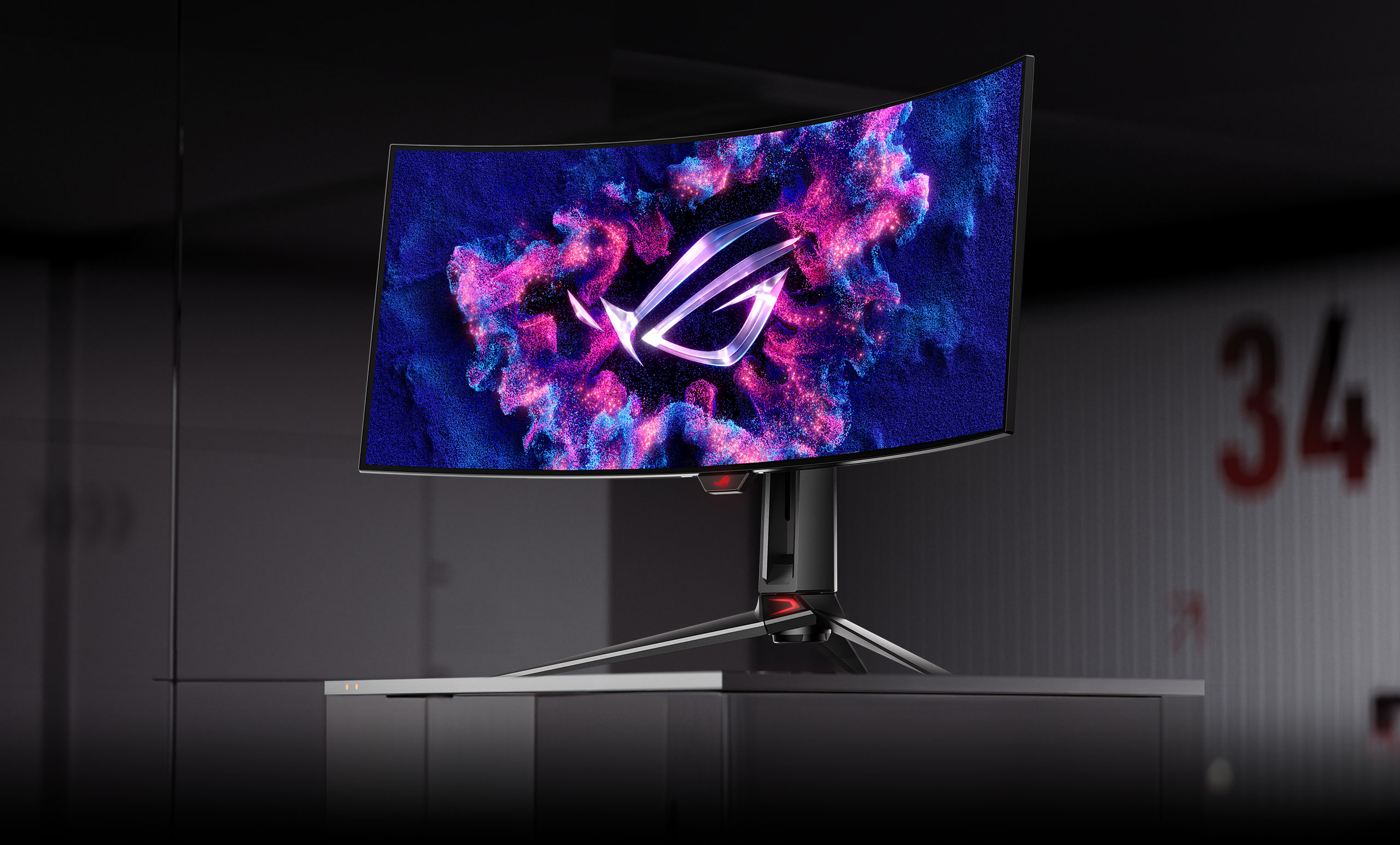
Samsung’s Odyssey lineup and several premium monitors from LG and Alienware illustrate the appeal of immersive, wide-format gaming. Depending on the model, buyers can find curved screens, high refresh rates, QHD or higher resolutions, and OLED panels that combine expansive viewing areas with impressive contrast. Curvature can make a large screen feel more comfortable to view, although the ideal degree depends on display size, desk depth, and personal preference. Some ultrawide monitors also support productivity features such as picture-by-picture viewing, making it possible to use different sections of the display for work, streaming tools, or gaming-related applications.
There are practical considerations before choosing an ultrawide gaming monitor. Not every game supports ultrawide resolutions equally well, and certain competitive titles may restrict the visible field of view or display black bars. Wider resolutions also increase the rendering workload, meaning players need sufficient graphics performance to maintain their preferred frame rate. Nevertheless, for anyone who values immersion and wants a display that can handle entertainment, multitasking, and gaming in one place, ultrawide monitors remain an appealing alternative to standard 16:9 screens.
Mini-LED and HDR: Bringing Brightness and Contrast to Life
Although OLED attracts considerable attention, Mini-LED technology continues to offer a compelling alternative for gamers who want high brightness and impressive HDR performance. Mini-LED monitors use thousands of tiny backlighting elements, grouped into local dimming zones that can brighten or darken different areas of the screen. This approach allows compatible displays to produce intense highlights while maintaining darker areas in the same scene. The technology is particularly useful in games featuring sunlight, explosions, glowing interfaces, and dramatic environmental lighting, where brightness contributes significantly to the visual experience.
Mini-LED displays can be especially attractive for brightly lit gaming rooms because some models achieve higher full-screen brightness than OLED alternatives. They can also avoid the same organic-pixel burn-in concerns associated with OLED, making them worth considering for people who frequently switch between gaming, work, and general desktop use. However, local dimming performance varies considerably between monitors. Less sophisticated implementations can produce blooming, where bright objects appear to glow against dark backgrounds, while strong implementations can deliver convincing HDR results.
HDR itself deserves careful attention when comparing gaming monitors. A label alone does not guarantee an impressive experience, because peak brightness, black levels, colour volume, and local dimming capabilities all influence the final image. Buyers should look beyond marketing terminology and examine independent reviews, supported HDR standards, and real-world measurements. A well-designed Mini-LED monitor can be an excellent choice for players who want vivid highlights and strong daytime visibility, while OLED may remain preferable for those who prioritise pixel-level black control and consistently excellent contrast.
The Best Gaming Monitor Brands to Watch in 2026
The gaming monitor market is competitive enough that no single manufacturer dominates every category. Instead, established brands focus on different strengths, from premium display technology to esports performance and value-oriented hardware. Understanding what each brand typically offers can help buyers narrow their choices before comparing individual models.
Samsung has established a strong presence in curved gaming displays and ultrawide monitors, with its Odyssey family covering immersive screens, high-refresh-rate options, and premium display technologies. LG is particularly relevant for buyers interested in OLED panels, high-resolution gaming, and displays that balance entertainment with everyday productivity. Both brands offer products across different specifications, so the best choice depends on the exact model rather than the manufacturer alone.
ASUS and Acer are important names for gamers who want a broad selection of performance-focused monitors. ASUS ROG and TUF Gaming products span premium esports displays and more accessible gaming options, while Acer’s Predator and Nitro families address different performance and budget requirements. MSI also competes across OLED, high-refresh-rate, and value-conscious segments, making it worth considering when comparing panel specifications and connectivity.
Alienware, Dell’s gaming-focused brand, is another major name in the premium monitor market, particularly for enthusiasts interested in OLED image quality and refined gaming-focused designs. Ultimately, brand reputation should be only one part of the buying decision. Warranty coverage, dead-pixel policies, burn-in protection where applicable, firmware support, connectivity, and independent testing can be just as important as the logo on the monitor’s stand.
How to Choose the Right Gaming Monitor for Your Setup
The best gaming monitor begins with an honest assessment of how you play. Competitive gamers who spend most of their time in fast-paced multiplayer titles may benefit from a 24-inch or 27-inch display with a high refresh rate, low input lag, and reliable adaptive sync. For these players, a 1080p or 1440p monitor can be more practical than a 4K screen because it allows a gaming PC to deliver higher frame rates more consistently. Image quality remains important, but responsiveness and motion clarity often take priority when every moment counts.
Players who prefer cinematic adventures, story-driven games, and visually rich single-player experiences may find a 27-inch or larger 1440p or 4K display more satisfying. OLED can be especially attractive for this audience because deep blacks and strong contrast enhance atmosphere, while HDR can make supported scenes feel more dynamic. Meanwhile, gamers who enjoy racing simulators, flight simulators, or expansive role-playing games may prefer a curved ultrawide monitor that creates a broader and more immersive field of view.
Console owners should pay close attention to HDMI 2.1 support, compatible refresh rates, variable refresh rate functionality, and the console’s actual output capabilities. PC gamers should also consider DisplayPort support, the graphics card’s available outputs, desk space, viewing distance, and whether the monitor includes useful extras such as a height-adjustable stand or USB hub. A carefully chosen 1440p monitor with excellent motion handling can be a better purchase than a more expensive display whose resolution and refresh rate the rest of the system cannot fully exploit.
The Future of Gaming Displays: Smarter, Faster, and More Immersive
Gaming monitors are moving towards a future in which resolution, refresh rate, contrast, and responsiveness increasingly overlap rather than compete with one another. OLED technology continues to advance, while Mini-LED backlighting provides an alternative route towards stronger HDR performance. Manufacturers are also experimenting with higher refresh rates, improved panel coatings, refined adaptive sync implementations, and new display formats that aim to make premium gaming more accessible. As these technologies mature, buyers can expect more choice across different price categories, although availability and pricing will vary by region.
Another important development is the growing importance of versatility. Many gamers also work, stream, edit videos, or create digital content on the same computer, making features such as accurate colour reproduction, USB-C connectivity, KVM switches, and picture-by-picture modes increasingly valuable. A monitor is no longer simply a screen for playing games; it can be the centrepiece of an entire digital workspace. This shift makes it worth considering how a display will perform throughout the day rather than judging it solely by its gaming specifications.
The next major purchase decision may therefore involve choosing between several excellent technologies rather than searching for one universally superior option. OLED offers exceptional contrast and rapid pixel response, high-refresh-rate LCDs can deliver strong performance at competitive prices, Mini-LED brings impressive brightness to HDR gaming, and ultrawide formats provide a more expansive view of supported games. Each approach solves a slightly different problem, and the most satisfying monitor is the one that aligns with a player’s priorities.
Final Verdict: Invest in the Experience, Not Just the Specifications
The best gaming monitors in 2026 demonstrate how far display technology has progressed, giving players more ways to customise their gaming experience than ever before. OLED displays are compelling for enthusiasts who want cinematic contrast and outstanding motion performance, while 240Hz and faster monitors appeal to competitive players seeking smooth, responsive gameplay. Meanwhile, 4K displays deliver exceptional detail, ultrawide screens create more immersive environments, and Mini-LED monitors offer another route to bright, high-impact HDR visuals.
There is no single gaming monitor that will suit every player, and the most expensive model is not automatically the smartest purchase. The right display should complement the games you enjoy, the hardware you own, the space available on your desk, and the budget you are comfortable spending. Comparing real-world performance, connectivity, warranty terms, and long-term usability will ultimately prove more valuable than chasing impressive specifications without considering their practical benefits.
As gaming continues to evolve, the monitor remains one of the most direct ways to improve the connection between a player and the virtual worlds they explore. Whether the goal is gaining a competitive edge, experiencing cinematic adventures in stunning detail, or creating a premium gaming setup that doubles as a productivity workstation, the right display can make every session feel more engaging. In 2026, choosing wisely means looking beyond the numbers and investing in the visual experience that matters most to you.