YouTube has changed dramatically. A decade ago, becoming a successful creator often meant owning a decent camera, learning basic editing and consistently uploading videos. In 2026, the creator landscape is far more sophisticated. Audiences expect better storytelling, sharper visuals, cleaner audio and content that feels increasingly personal—even when creators are publishing at scale.
The good news is that creators no longer need a full production studio or a large team to meet those expectations. A growing ecosystem of creator tools can handle everything from research and scripting to editing, thumbnails, analytics and workflow management. The challenge is no longer finding a tool. It is figuring out which ones genuinely improve the creative process instead of adding another subscription, dashboard or distraction.
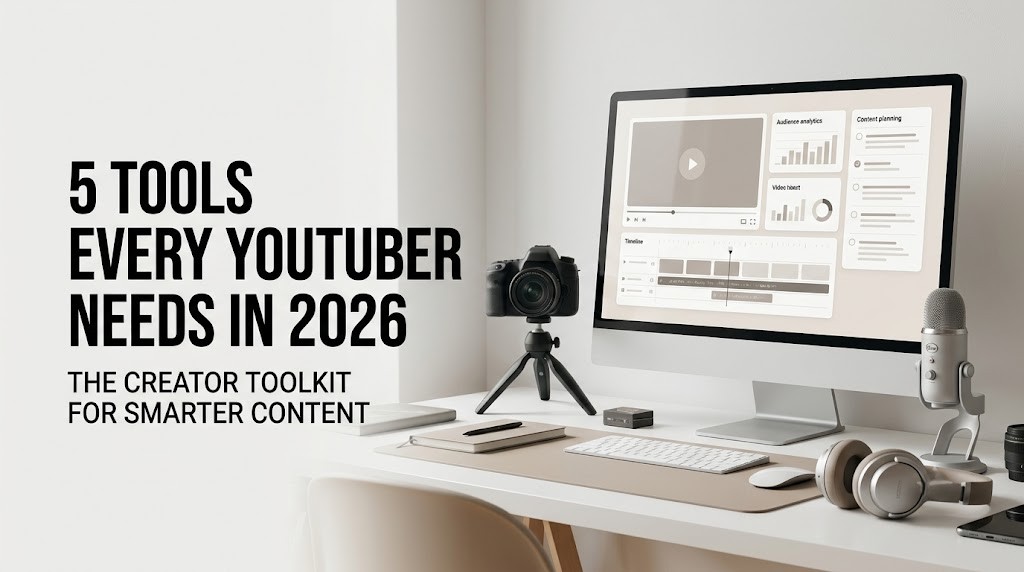
For YouTubers building a serious channel in 2026, five categories of tools stand out. They help creators understand what audiences want, produce stronger videos, package content effectively and make smarter decisions after publishing.
1. YouTube Studio: The Command Center Every Creator Needs
Before investing in sophisticated third-party software, creators should understand the platform they are already using. YouTube Studio remains the central operating system for a YouTube channel, giving creators access to performance data, audience insights, content management and monetization information in one place.
The value of YouTube Studio in 2026 goes well beyond checking views. Creators can examine impressions, click-through rates, audience retention, traffic sources and returning viewers to understand what is actually happening after a video goes live. A video with 100,000 impressions and a weak click-through rate tells a very different story from a video with fewer impressions but exceptionally strong retention.
That distinction matters because successful YouTube growth is rarely about one metric. A creator needs to understand the relationship between packaging and content. A compelling thumbnail may generate the click, but the opening of the video has to deliver enough value to keep viewers watching.
Audience retention is particularly useful for identifying weak points in a video. If viewers consistently leave around the same timestamp, that moment deserves investigation. Perhaps the introduction is too long, the pacing changes, the explanation becomes repetitive or the video takes too long to reach its main point.
YouTube Studio therefore belongs at the heart of a creator’s workflow. It is not simply an analytics dashboard; it is a feedback loop between the creator and the audience.
2. CapCut: Faster Editing Without Sacrificing Creativity
Video editing used to be one of the biggest barriers to consistent publishing. Modern editing platforms have significantly lowered that barrier, and CapCut has become particularly popular among creators producing both long-form YouTube videos and short-form content.
Its appeal comes from speed. Creators can cut footage, add captions, adjust pacing, apply transitions and prepare clips for different platforms without building an unnecessarily complicated editing workflow. For creators who publish frequently, that efficiency can make a meaningful difference.
The rise of short-form video has also changed how YouTubers think about editing. A long-form video may now generate several Shorts, teasers, clips or social posts. Instead of treating every piece of content as an isolated production, creators increasingly build a content ecosystem around one central idea.
CapCut can fit naturally into that model. A creator recording a 20-minute interview, for example, can edit the main YouTube episode while identifying shorter moments that can be transformed into vertical clips. This allows a single recording session to support multiple content formats.
The important point is not that every creator needs the same editing software. Professional editors may prefer more advanced desktop applications. But for creators who value speed, accessibility and social-first editing features, CapCut can significantly reduce the time between recording and publishing.
In an environment where consistency matters, reducing production friction can be just as valuable as adding another creative feature.
3. Canva: The Packaging Tool for Thumbnails and More
A great video can struggle if nobody clicks on it. That makes visual packaging one of the most important—and frequently underestimated—parts of YouTube strategy.
Canva has become a practical design solution for creators who need professional-looking thumbnails, channel graphics, presentations, social assets and promotional material without becoming graphic-design specialists.
The biggest advantage is flexibility. A creator can establish a recognizable visual identity through typography, layout, imagery and recurring design elements. Over time, these details can become part of the channel’s brand.
However, good thumbnail design is not about filling the screen with text, arrows and exaggerated expressions. In 2026, audiences are exposed to enormous amounts of visual content, which makes clarity increasingly valuable. A strong thumbnail should communicate the video’s central idea quickly while creating enough curiosity to encourage a click.
Canva is also useful beyond thumbnails. Creators can build media kits for brand partnerships, presentation decks for sponsors, Instagram assets, community graphics and even downloadable resources connected to their videos.
For independent YouTubers, this matters because the creator is often simultaneously a producer, marketer, designer and business owner. A tool that reduces the time required for routine design work gives more room for the work that actually requires creative judgment.
4. TubeBuddy: Turning YouTube Data Into Content Decisions
Creating videos consistently is only half the challenge. Creators also need to understand what topics have demand, how viewers search for content and how individual videos fit into the broader competitive landscape.
TubeBuddy is one of several creator-focused platforms designed to help with YouTube research, optimization and channel management. Its usefulness comes from bringing various elements of the YouTube workflow into a more structured environment.
For creators, research can help answer practical questions before production begins. What are people searching for? How competitive is a particular topic? Which keywords and phrases appear repeatedly around a subject? Are there opportunities to approach a familiar topic from a different angle?
This does not mean creators should simply chase keywords. Search data is useful, but YouTube is also driven by recommendations, viewer satisfaction and the strength of the content itself. A perfectly optimized title cannot compensate for a video that fails to deliver what its audience expected.
The better approach is to use research tools as a source of signals rather than instructions. They can help creators identify opportunities, organize ideas and refine titles or descriptions, while the creative direction remains human.
For a growing channel, that distinction is important. Data should inform creativity, not replace it.
5. Notion: The Behind-the-Scenes System for Staying Consistent
Some of the most important creator tools never appear in the final video.
Notion has become a popular workspace for organizing ideas, production schedules, research, scripts, brand information and content calendars. While it may not directly improve video quality, it can dramatically improve the system surrounding content creation.
This becomes increasingly important as a channel grows. A creator might have dozens of unfinished ideas, several videos in production, sponsorship deadlines, interviews to schedule and clips waiting to be published. Keeping all of that information in scattered notes, messages and spreadsheets can quickly become inefficient.
A structured workspace allows creators to see the entire production pipeline. An idea can move from research to scripting, filming, editing, thumbnail design and finally publication. The creator can also store reusable information such as video templates, sponsorship requirements, recurring descriptions and production checklists.
The real benefit is mental clarity. Instead of repeatedly asking, “What should I work on today?”, a creator can look at the production system and immediately identify the next priority.
Consistency on YouTube is often discussed as if it simply means uploading frequently. In practice, consistency is more closely connected to having a repeatable process. Notion can help build that process.
Building a Smarter YouTube Stack
The most effective creator workflow in 2026 is unlikely to depend on one magical application. Instead, it will combine several tools, each solving a specific problem.
YouTube Studio provides the performance feedback. CapCut can accelerate editing. Canva handles much of the visual packaging. TubeBuddy can support research and optimization, while Notion can organize the entire operation behind the channel.
But technology should remain the infrastructure—not the personality—of a YouTube channel.
Audiences still connect with creators because of perspective, expertise, humor, storytelling and authenticity. Tools can make production faster and more organized, but they cannot decide what is worth saying. They can suggest an idea, clean up an edit or provide performance data, but the creator still has to make the final creative decision.
That is especially relevant as artificial intelligence becomes increasingly integrated into the creator economy. AI-powered features can speed up repetitive tasks, but an internet filled with efficiently produced content makes originality even more valuable.
The creators who stand out are likely to be those who use technology to remove tedious work while protecting the distinctly human parts of their content.
The Bigger Opportunity for YouTubers in 2026
YouTube is no longer simply a platform for uploading videos. For many creators, it has become a complete media business. A single channel can generate advertising revenue, sponsorships, affiliate income, memberships, digital products and opportunities across other platforms.
That evolution means creators need to think beyond individual uploads. They need systems for research, production, distribution, measurement and audience development.
The five tools above can help establish that foundation. But the right combination will depend on the creator’s niche, publishing frequency, budget and level of technical expertise. A gaming creator may prioritize editing and live-streaming tools, while a business educator may spend more time on research, scripting and presentation design.
The goal should not be to collect every tool available. It should be to build a workflow in which every tool has a clear purpose.
In the end, better technology does not automatically create better content. It simply gives creators more control over how they use their time.
The strongest YouTube channels of 2026 will not necessarily be the ones with the largest software stack. They will be the ones that use technology intelligently, understand their audiences and continue to make content that feels worth watching.
“The best creator tools don’t replace creativity—they give creators more time to use it.”